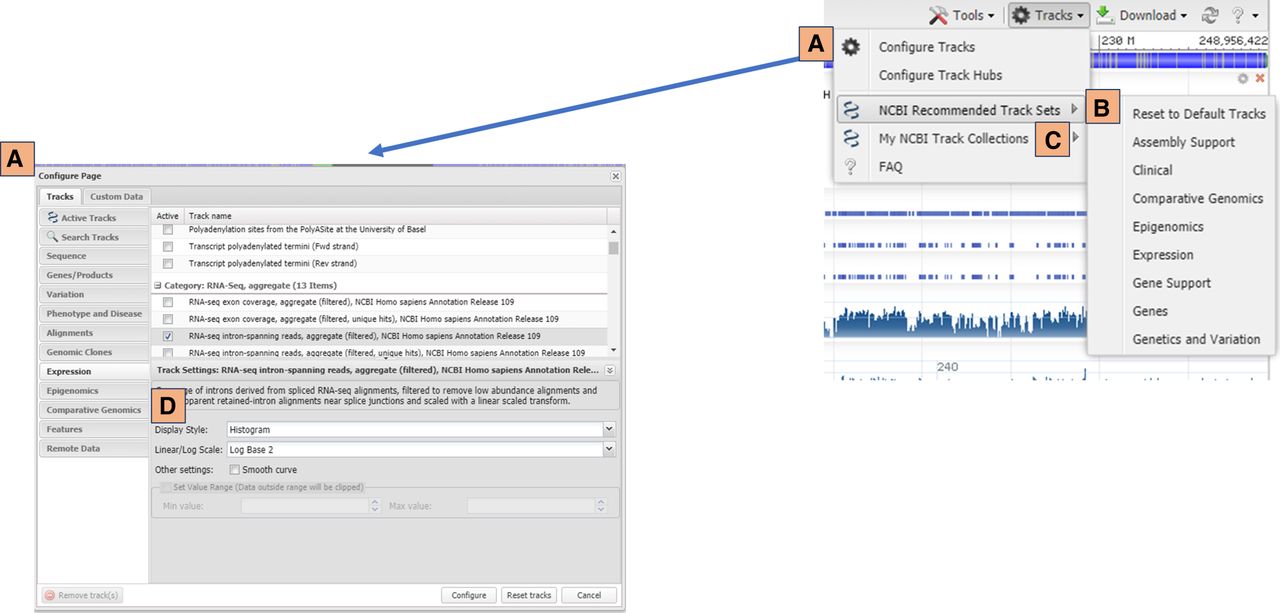
Figure 4.
Tracks supplied by NCBI can be added using the track configuration panel (A), which can be accessed from the tracks menu located in the SV toolbar. The tracks menu on the toolbar also provides the option to add predetermined sets of tracks from the NCBI recommended track sets menu (B) or private track sets saved in “My NCBI Track Collections” (C). Track display settings can be changed within the track configuration panel (D).