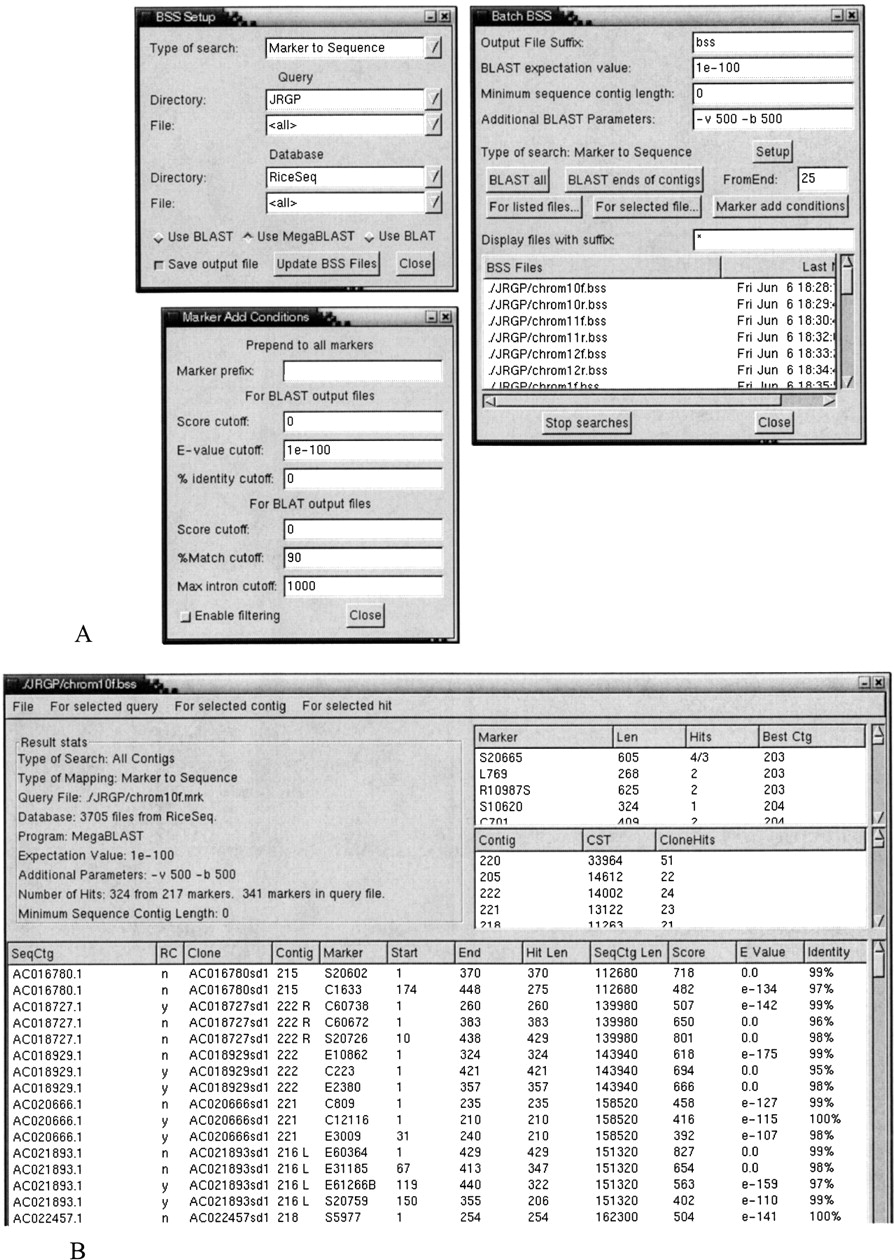
Figure 2
The windows that would be shown for a Marker→Sequence search using MegaBLAST in the Batch mode, which runs the search on all contigs. Values are entered in the Setup and Batch BSS windows and the search started. The results can be viewed in the BSS Report window. If the results are to be automatically added as markers using the Add as FPC Markers function, the Marker Add Conditions may first be altered.