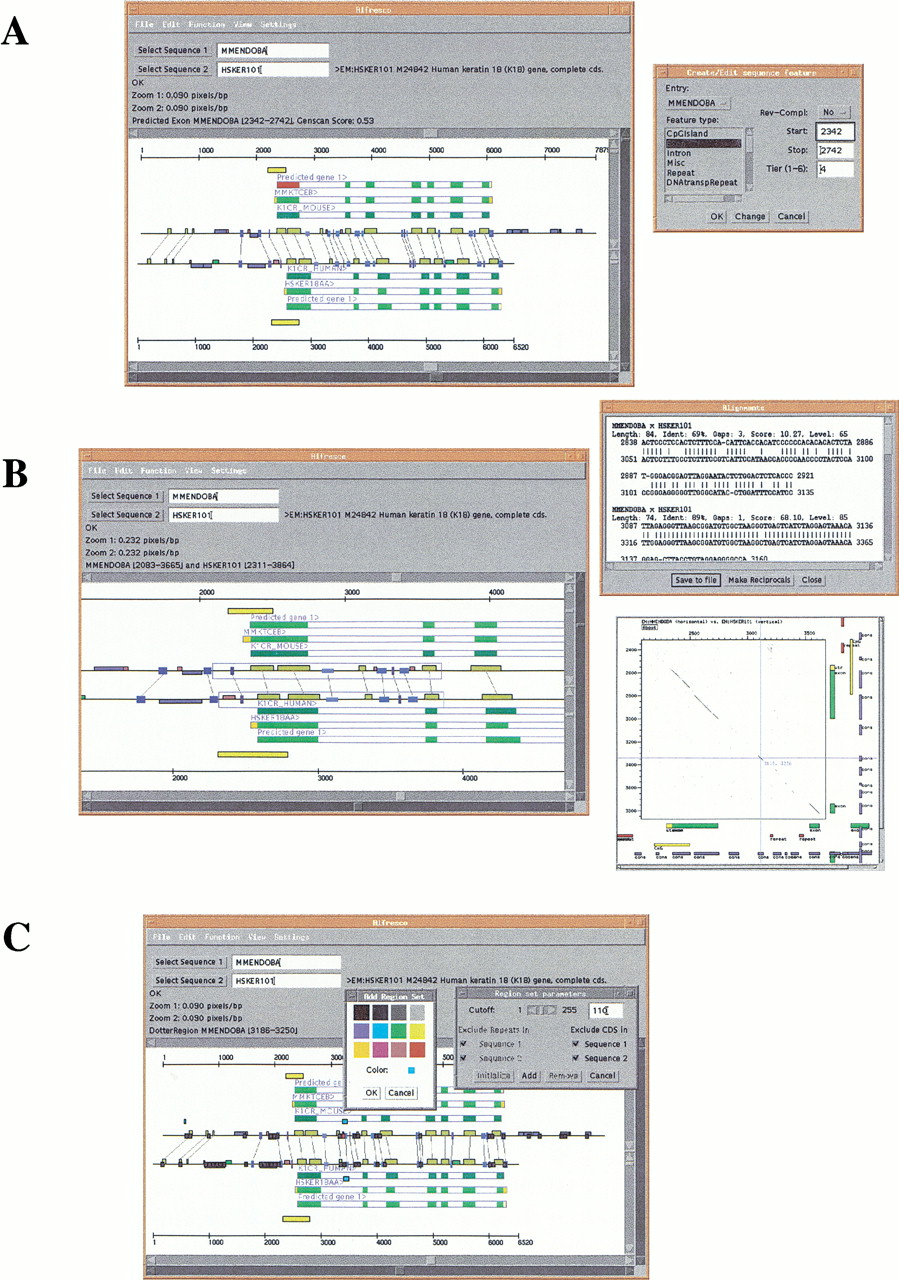
Alfresco user interface. (A) The display area shows a representation of two EMBL sequence entries of the orthologous mouse and human keratin 18 genes (mouse: ID MMENDOBA, AC M22832; human: ID HSKER101, AC M24842). Conserved regions are connected by gray lines. Dark yellow boxes represent conserved regions found by BLASTN/MSPcrunch, boxes in different shades of blue represent conserved regions found by DBA (see text). Gene structures are represented by blue borders and a name tag, with “>” and “<” indicating the direction of transcription. Coding and noncoding exons are indicated in green and yellow, respectively. The shown gene structures are the result of analyses with Blastwise, blEst_genome, and Genscan, respectively. Sequence repeats found by RepeatMasker are indicated by boxes in blue (LINEs), green (SINEs), brown (low complexity), and pink (simple repeats). CpG islands predicted by Cpg are shown as yellow boxes around the start of the first introns. The attributes of selected features (colored red) can be manually edited through a dialog window (seen on the right). (B) Subregions of the sequences can be selected and subjected to further analysis. To the right of the main window are shown a window displaying alignments of conserved regions found by DBA and a Dotter window of the selected regions. Conserved blocks found by DBA can be added to the display as features of the entries. Positions of features defined in Alfresco is exported to Dotter and displayed along the sides of the dot plot. (C) Regions similar to any other region can be identified using the “Region set parameters” dialog. These regions are displayed as dark gray boxes. The Cutoff scrollbar selects the threshold of similarity. Clicking on a region (the red box in the figure) will indicate which other regions belong to the same set by displaying blue boxes above the sequence representations. A selected Region set can be permanently added to the display with a choice of colors.