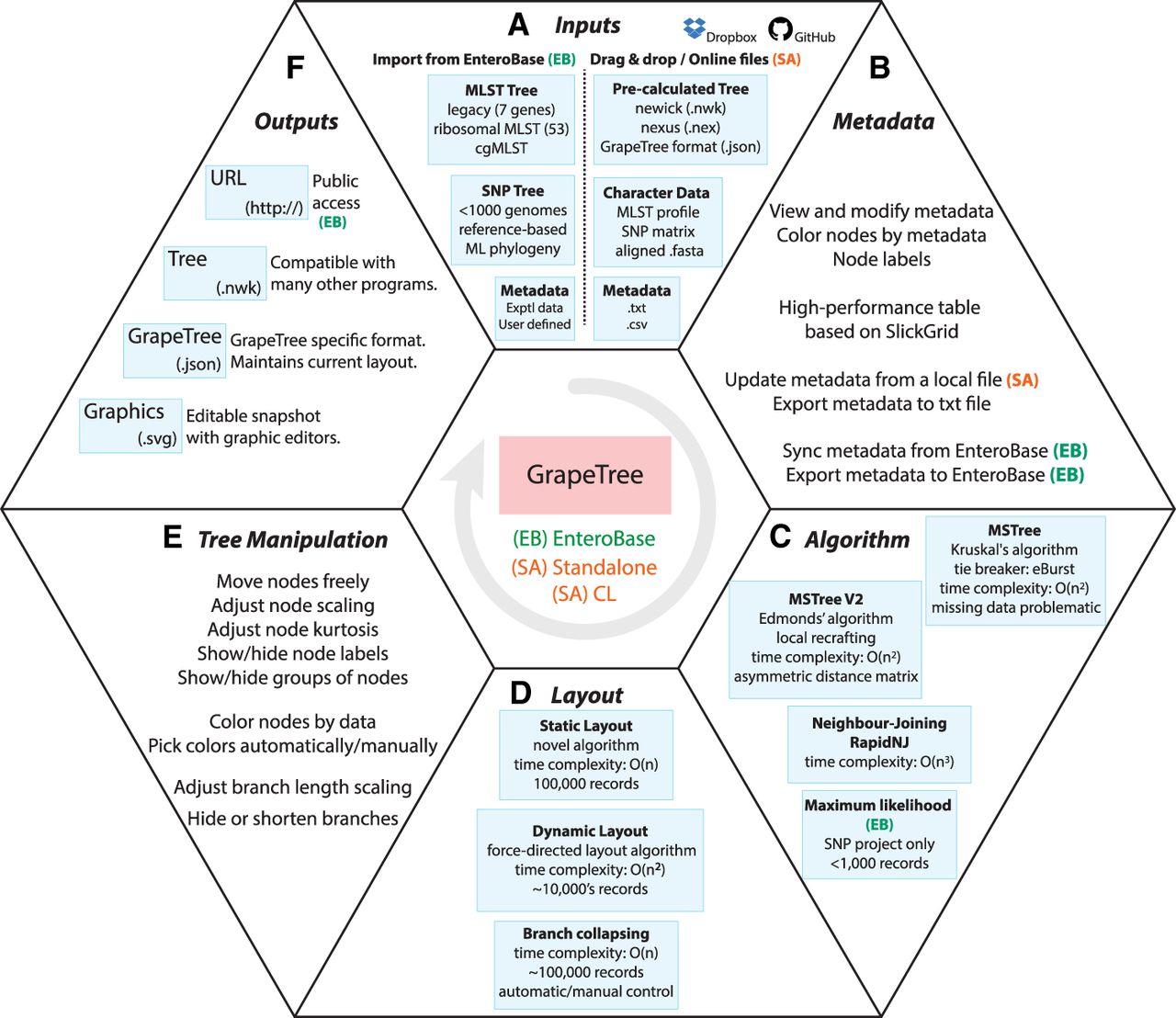
Figure 2.
Overview of GrapeTree features. GrapeTree can run within the EnteroBase environment (EB; green), in stand-alone mode (SA; red), or in command line mode (CL), which disables graphic interactions. Options for CL mode are shown by typing “grapetree -h” after installation. All features are common to EB and SA, except where indicated in the figure. A demonstration version of GrapeTree is available for experimentation at https://achtman-lab.github.io/GrapeTree/. (A) Inputs for GrapeTree EB (left) and GrapeTree SA (right). (B) Metadata capabilities. (C) Algorithms used for tree constructions. (D) Static and dynamic layout and branch collapsing. (E) Tree manipulation. (F) Outputs.