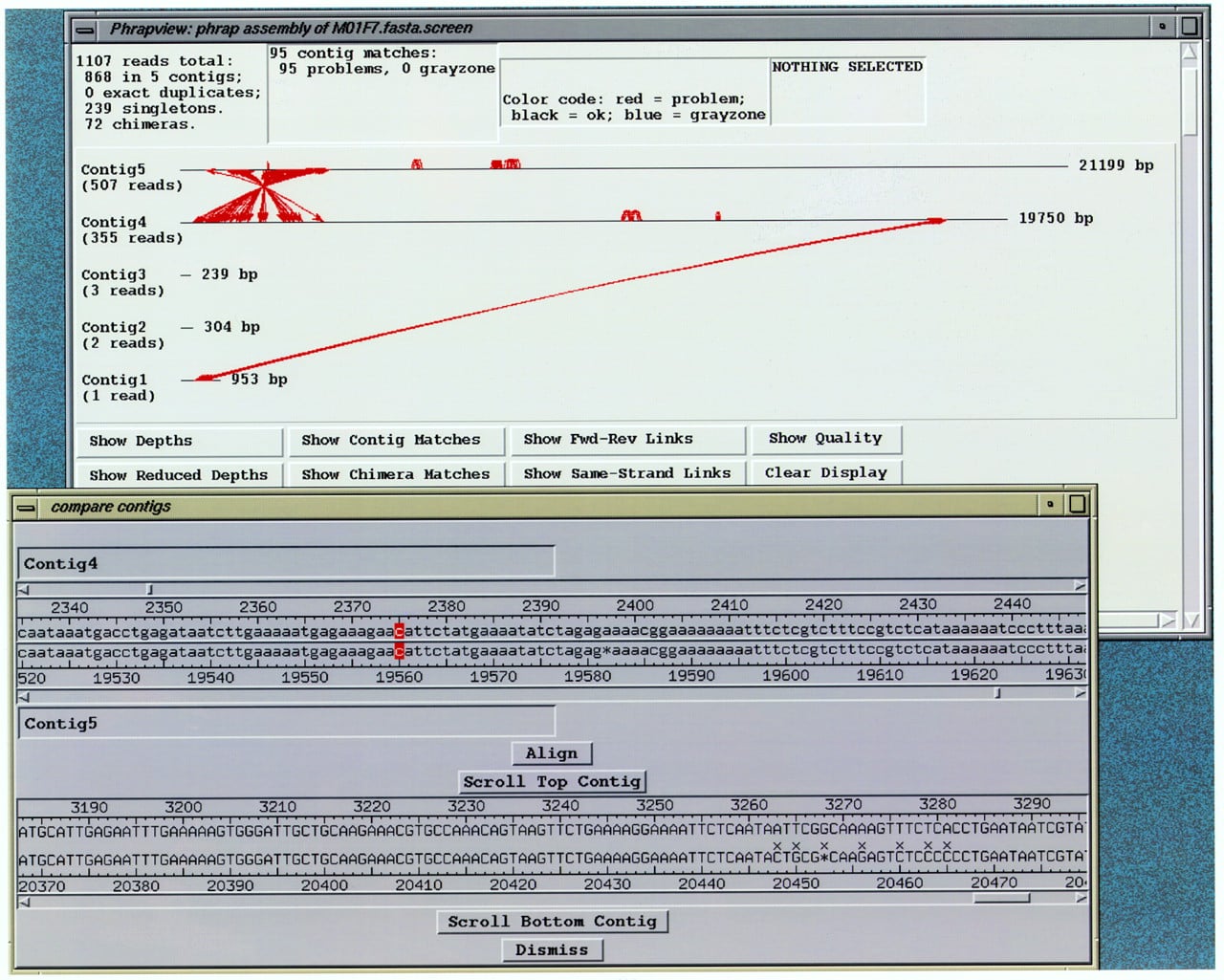
Compare contigs window, indicating an alignment selected to investigate a contig match indicated in phrapview. (Top): Aphrapview window showing matches between contigs as red lines. (Bottom) consed compare contigs window showing the sequence alignment of one match from the phrapview window. The two rows of bases in lowercase are the unaligned contigs, which can be scrolled relative to each other. The two rows of bases in uppercase are the aligned contigs, which are locked together if they are scrolled. (x) A mismatch. Red cursors indicate the bases to be pinned together. (Align button) Click this to show alignment. (Scroll Top Contig/Scroll Bottom Contig buttons) After clicking on a base, this causes the Aligned reads window to scroll to the appropriate location.