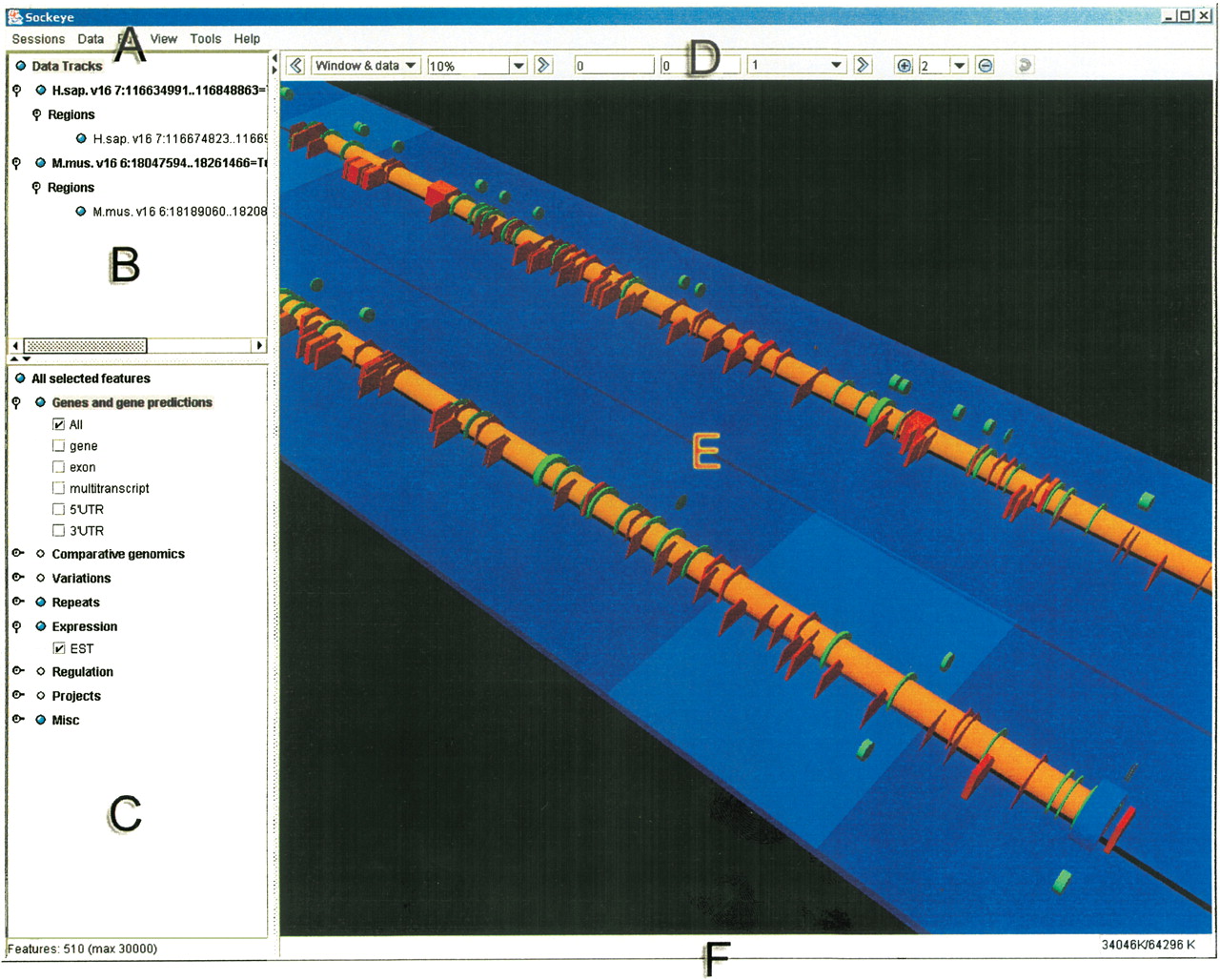
Figure 2
Sockeye GUI layout. (A) The menu. (B) The sequence track selection tree. From this component, a user can show/hide and obtain detailed information for loaded sequence tracks. (C) The feature selection tree. This component allows a user to show/hide annotation types. Its hierarchical structure is dynamically generated from Sockeye's XML start-up files. (D) The navigation toolbar. This component contains tools to navigate loaded sequence tracks. (E) The 3D viewport. This is where a user is able to perform analysis and visualization functions on 3D sequence tracks and annotations. (F) The status bar. This informs the user of the status of pending Ensembl queries and of memory usage.